


Members-only perks


Tesla's Digital Key

What you need to know
Getting started with your digital key:
- For ease of use, download the Tesla app prior to picking up your vehicle
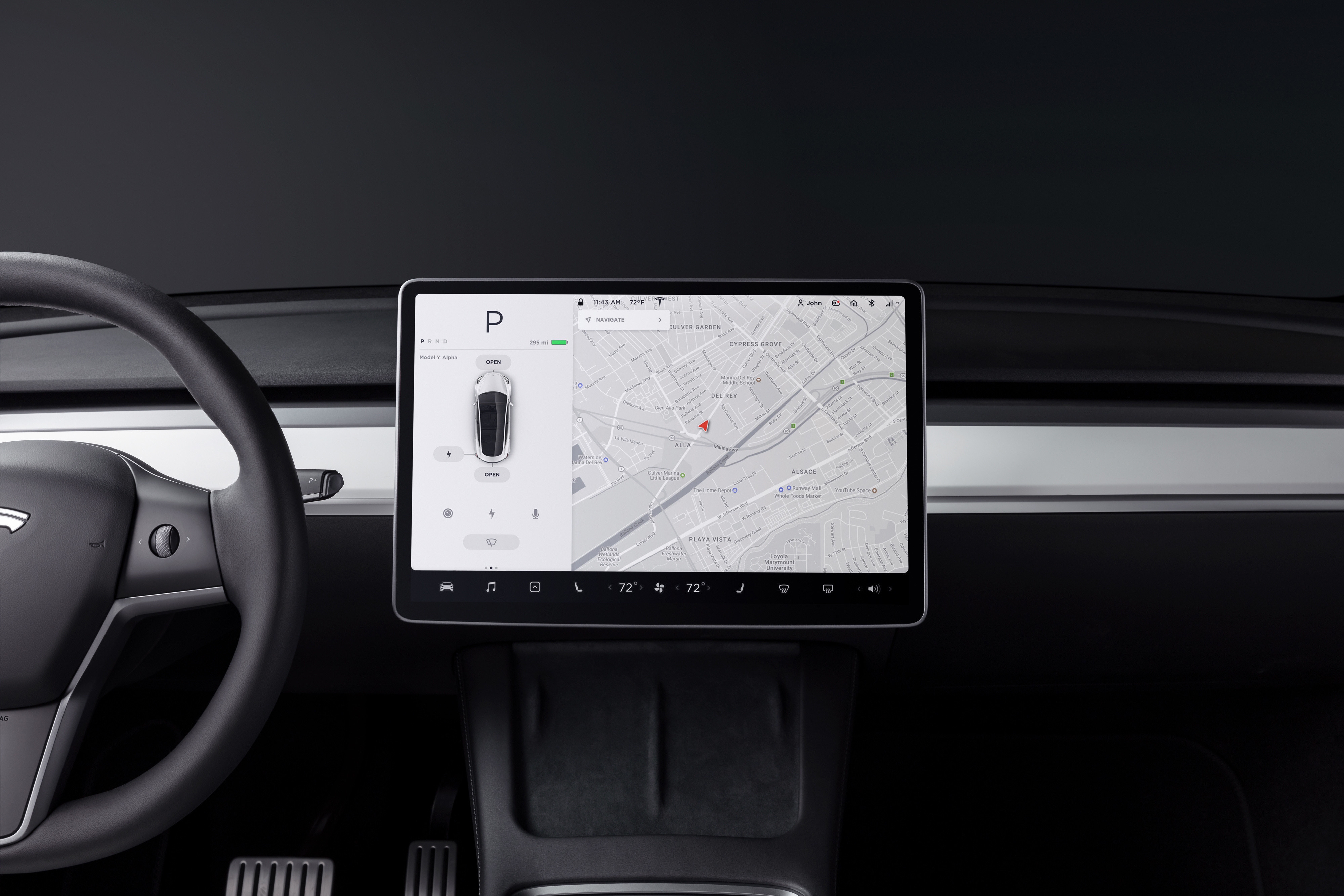
- Scan the QR code shown in the bottom left hand corner of the Tesla touchscreen
- Connect your app to the vehicle you are renting via bluetooth
- Once the set up is complete, your phone can now be used as the Tesla key for the duration of your rental
What is the Tesla digital key?
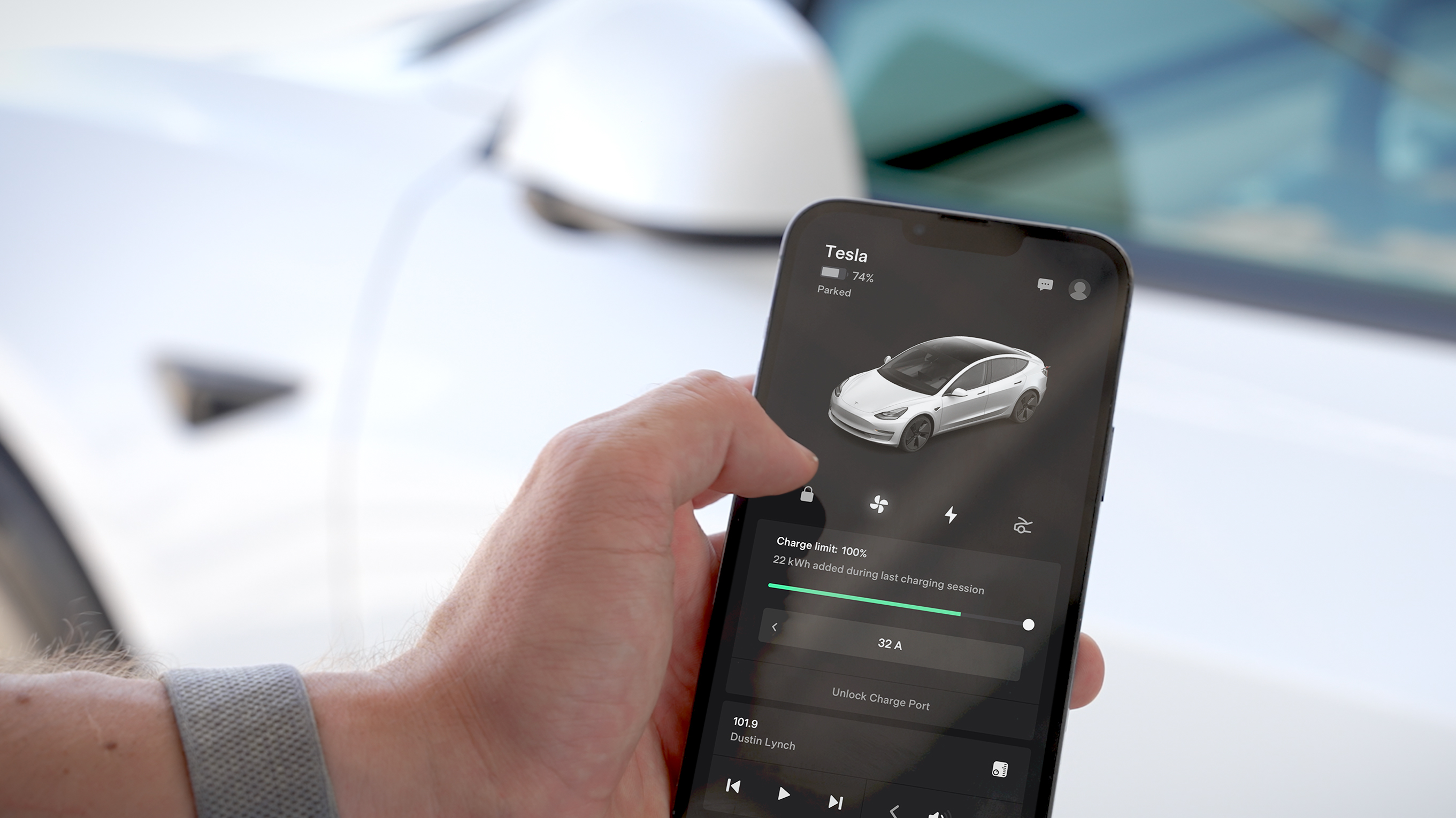
The Tesla digital key is an innovative feature on the Tesla mobile app. It turns your phone into a multifunctional tool for your Tesla rental car – allowing full access to your vehicle in the palm of your hand.
This seamless digital experience elevates Tesla rentals from Hertz to new levels – and all new Tesla rentals from Hertz come equipped with this digital key functionality.
How Does the Tesla Digital Key Work?
Tesla’s digital key works in a very clever way. With Bluetooth® enabled on your cellphone, the vehicle detects its signal as you approach and the doors will automatically unlock when you pull a handle. This is known as the ‘Walk-Away Door Lock’ feature.
Note that you must have this feature switched on within the app and that under certain circumstances, such as a key detected inside or the vehicle parked at a designated 'Home' location, the feature might not engage.
How Do I Set Up the Digital Key in My Rental Car?
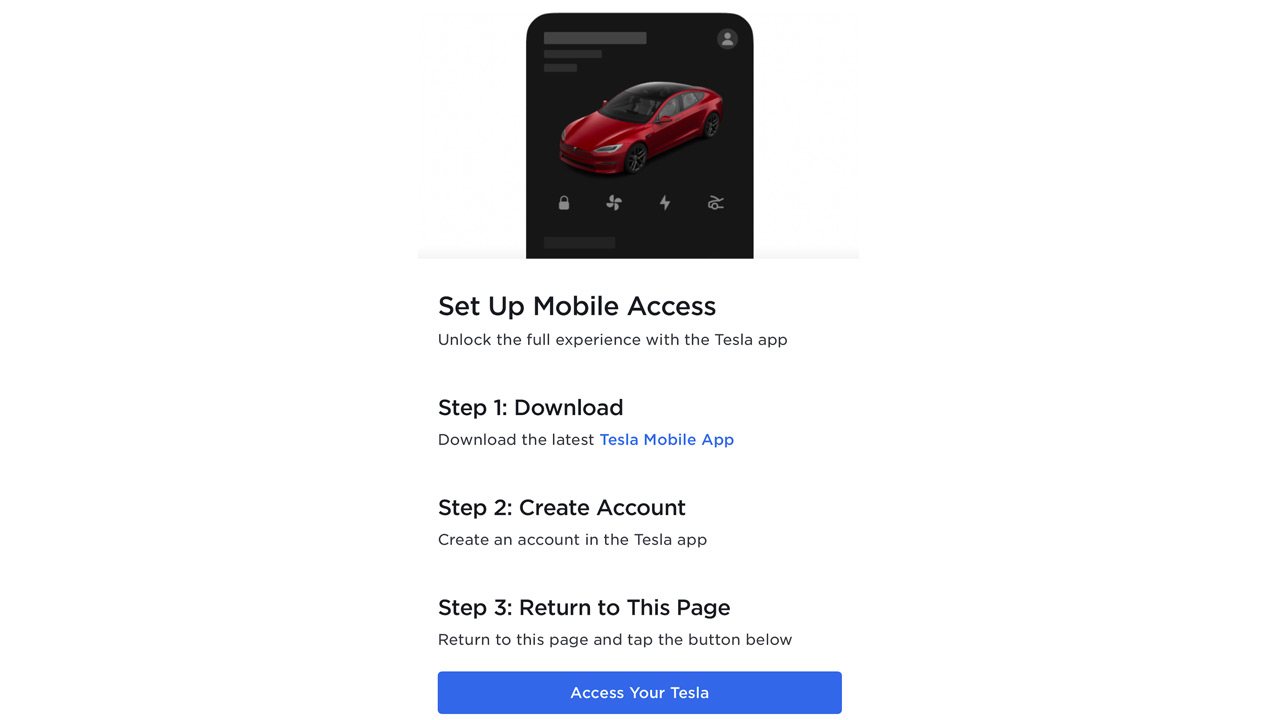
When renting a Tesla from Hertz, you’ll be given a physical key card that will allow you to activate and interact with your Tesla. However, you also have the option to streamline your experience by transforming your smartphone into your vehicle's key. It's easy - just download the Tesla app from the Apple Store or Google Play and then follow these simple steps:
- Use your phone to scan the QR code in the bottom left corner of your Tesla's touchscreen (located in the center of the front seat).
- Once scanned, simply follow the steps shown on the touchscreen.
- Next open the Tesla Mobile App on your phone. Click the 'Phone Key' option in the app's menu and select 'Set Up'.
- Once the set up is complete, your phone can now be used as the Tesla key for the duration of your rental.
- For convenience, store the physical key card somewhere secure like your wallet or purse so you have it handy when returning the vehicle.
- Make sure your mobile device's Bluetooth is switched on so your phone can connect and unlock the vehicle.
How Tesla's Digital Key Transforms Your Rental Journey
Your Tesla rental is an intelligent car, and together with the digital key, you have a wealth of benefits and features right at your fingertips.
Forget range anxiety, you can monitor the charging status of your Tesla through the app. And if you need to find a charging station quickly, you can do this too – as well as plan where your next charge will come from with the handy charging station locator. And if you’re worried about where you’ve parked your Tesla, enhanced security features like Sentry Mode will provide peace of mind.
When suspicious motion is detected around your Tesla, the vehicle will respond accordingly. A severe threat will start the alarm system and the cameras on the vehicle will begin recording. You will also be alerted via the app. This is a particularly good feature if you find yourself in a new, unfamiliar location.
Rushed out of the car to make an appointment or just excited to get to your next destination? You can also receive push notifications regarding vehicle status – if you’ve left a door or window open, for example.

Tesla Digital Key Screen Examples
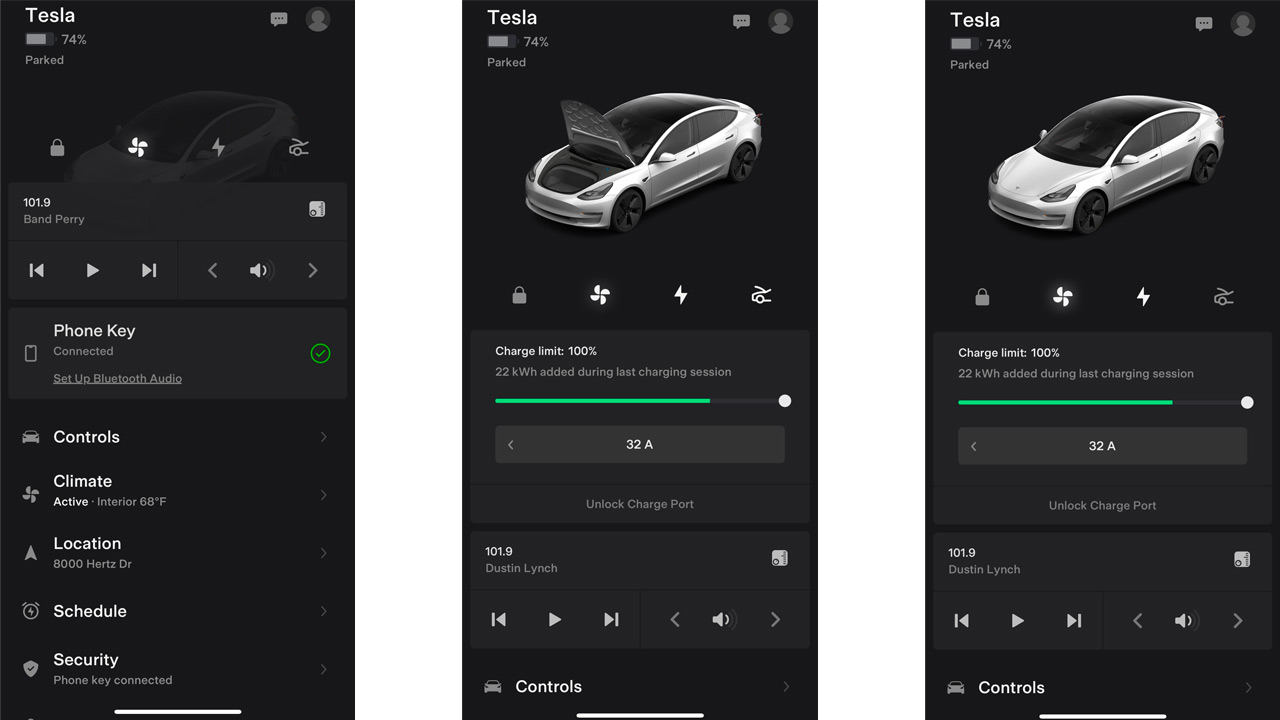
The Tesla mobile app interface allows users to easily utilize these unique features. The screen shows when the vehicle is locked and unlocked, as well as providing quick-access buttons at the bottom – including honk and flash (perfect if you can’t find your Tesla in a busy parking lot and need a prompt). If heading on longer journeys, you can also easily monitor the tire pressure and ensure they’re correct.
Driving in winter? Be sure to use the Tesla app’s defrost feature and get the cabin’s temperature just right ahead of your journey. The app not only provides a seamless way to lock and unlock your Tesla rental but also helps makes your journey a more comfortable and relaxing one.
What Else Can You Do With the Tesla App?
The Tesla app doesn’t just open or secure the vehicle, there’s a wealth of other features at your fingertips, including:
- Remote charging management – enjoy peace of mind by keeping an eye on your Tesla's battery levels remotely, ensuring it's always ready for your next journey.
- Climate control – achieve your perfect comfort level before stepping into the vehicle by adjusting the temperature using the app.
- Vehicle location tracking – never forget where you parked - the app helps you locate your Tesla effortlessly.
- Navigation – plan your routes efficiently directly from the app.
- Light flashing/horn honking – easily locate your vehicle in crowded parking lots by triggering lights or the horn.
- Valet mode – restricts your vehicle's speed, and limits access to personal data ensuring enhanced privacy and security.
- Sentry mode – enhance your vehicle's security by detecting and reporting disturbances around your Tesla when it's parked.
- Push notifications – stay informed about various vehicle status updates with timely notifications.
- Guest Mode – grants you temporary access to the Tesla app for the duration of your rental. This ensures you can fully utilize all the innovative features of the Tesla app while keeping your personal data secure.

Tesla Digital Key FAQs
Is there an additional cost for using the Tesla digital key?
No, there’s no additional cost for using the Tesla digital key. It’s included as standard with every new Tesla rental from Hertz, so you can enjoy the full range of next-level features in the palm of your hand.
What if I encounter issues setting up or using the digital key?
If you encounter any issues with the Tesla digital key, a Hertz representative will be available to assist or provide a physical key replacement if necessary. Once you use the physical key, you would need to re-setup the digital key in the future.
If you’re having issues with the digital key:
- Check Bluetooth is turned on.
- If Bluetooth is on and still not connecting, delete and reinstall the Tesla App.
- Follow the steps above to activate the digital key.
- If you continue to have trouble, please contact our customer support team or call 1-800-654-3131 for assistance.
EDUCATIONAL SERIES
Explore other topics


Get the most out of your electric car rental.


Touchscreen | Driving Information
Courtesy of Tesla, Inc.

Regenerative Braking
Courtesy of Tesla, Inc.

Plugging In
Courtesy of Tesla, Inc.


