


Members-only perks


Mobile Gold Upgrades
Get your Carfirmation™ and pick the car you drive
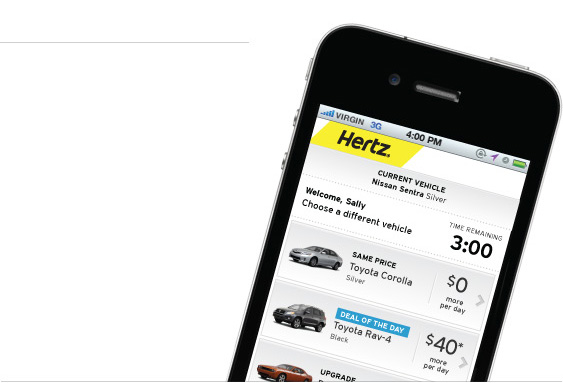
Your Hertz Carfirmation™ now shows you other available cars and upgrades and lets you select the one you want – all on your mobile. Simple, fast and easy.
Choose Now!
Now you can change your car in three simple steps from your mobile.
- Click #1: See the available cars
- Click #2: Choose the car you want
- Click #3: Confirm and Go!
A new Carfirmation message will be sent with stall and car details and any additional charges will be added to your Rental Agreement that is printed at the exit gate.
NeverLost Available
You can also choose to view available cars with NeverLost. Additional per day charges for NeverLost will also be added to your estimate of charges printed on your rental agreement.
Sign up for Carfirmations™ Now!
Already a Hertz Gold™ member? Go to the Personal and Contact details section of your profile on Hertz.com and opt in to receive Mobile Gold Alerts by email or SMS, or both. For more information, click here.
