


Members-only perks


Get ready for your Hertz pickup
- Book a Hertz rental through the Uber app.
- Choose a car, rental location, and pickup time.
- Watch these onboarding videos and read up to learn how to quickly start driving and earning with Hertz and Uber.
Renting a Tesla: Overview

Renting a gas-powered car: Overview
Renting a non-Tesla EV: Overview


Your weekly rate covers standard preventative maintenance like tire rotation, fluid top-off, and regular inspections. It also includes a Limited Damage Waiver (LDW), which covers loss or damage of the vehicle.
Please note that LDW is not insurance and does not cover you, your passengers, your belongings, or other people in the car. Review your personal insurance policy to ensure you’re protected for rideshare coverage.
If your rental vehicle is damaged while on-rent, you’ll be responsible for the first $1,000 of damage, regardless of fault. At pickup, you’ll be able to add on additional vehicle protections.

Fast acceleration: EV engines accelerate quickly, so press the accelerator pedal slowly. EV engines accelerate quickly, so press the accelerator pedal slowly.

Automatic slowdown: When you lift your foot off the accelerator pedal, the EV immediately begins to slow down. This “one-pedal driving” recharges the battery.
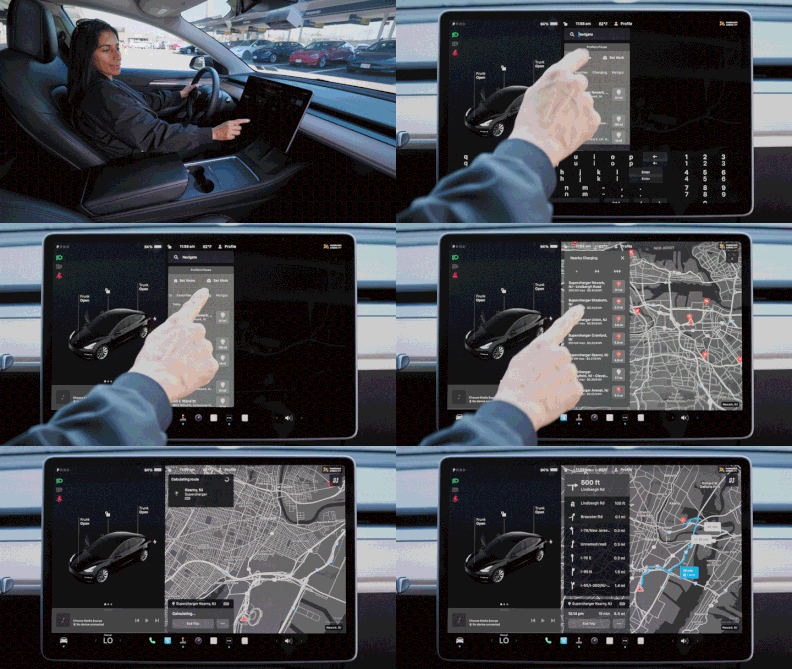
Smart touchscreen dashboard: Park your EV and learn how to adjust the AC, wipers, and navigation BEFORE accepting passengers.

Phone placement: You should be able to easily access both the Uber app and the EV touchscreen without taking your eyes off the road.
Before picking up your first passenger, spend time familiarizing yourself with the EV and how it drives. Make sure you can safely accelerate, brake, navigate, and answer customer requests without distractions.
Even if a passenger is in a rush, make sure you’re accelerating slowly and giving enough distance between cars. Your safety and the safety of and your passengers is the top priority.


